Your day is split between a calendar, a list somewhere, and the rest in your head. Tavo is all three on one screen — written in a sentence, ruled out by the hour, and waiting on your home screen.
7 days free · iPhone, iPad & Mac · No ads, ever
How a day goes
Type “dentist tomorrow at 9” and Tavo offers you the date. No fields, no pickers, no second screen — you write the thing and it's in.
A time puts it on the hour grid and sets the reminder. No time is a real answer too: it drops into Anytime and waits for you without nagging.
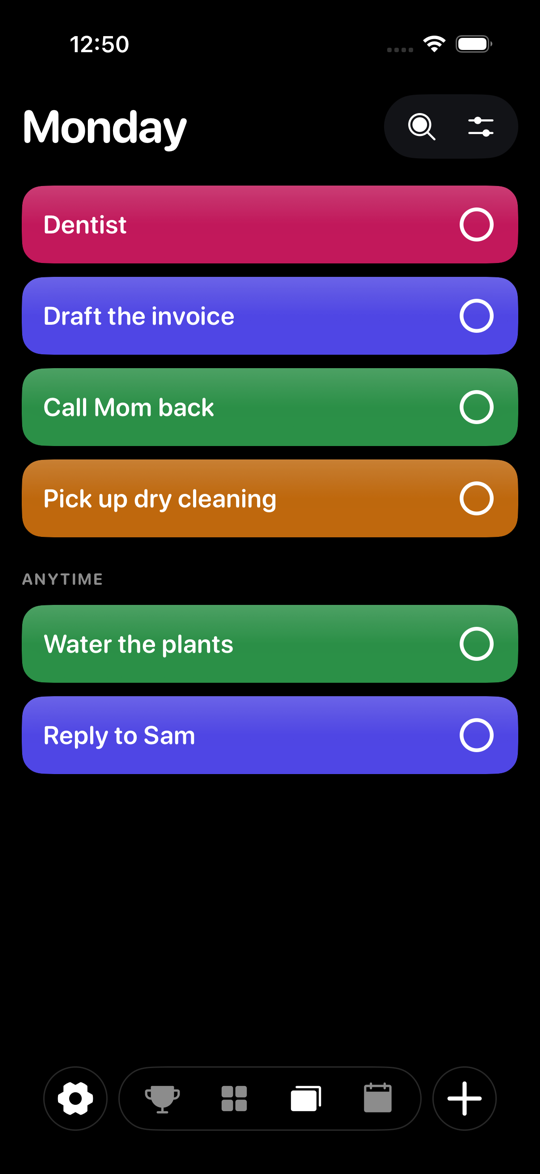
Today shows what's left, in order, in the colours of the lists it came from. Tick things off and the page empties. That's the whole loop.
Have a look inside
Most task apps ask the same question at three different lengths. These don't overlap: what you've done, where things are filed, what you do now, and what's coming.
The hours you've got left, and the things in them. Each card wears the colour of the list it came from, so where a task belongs is something you see rather than read.
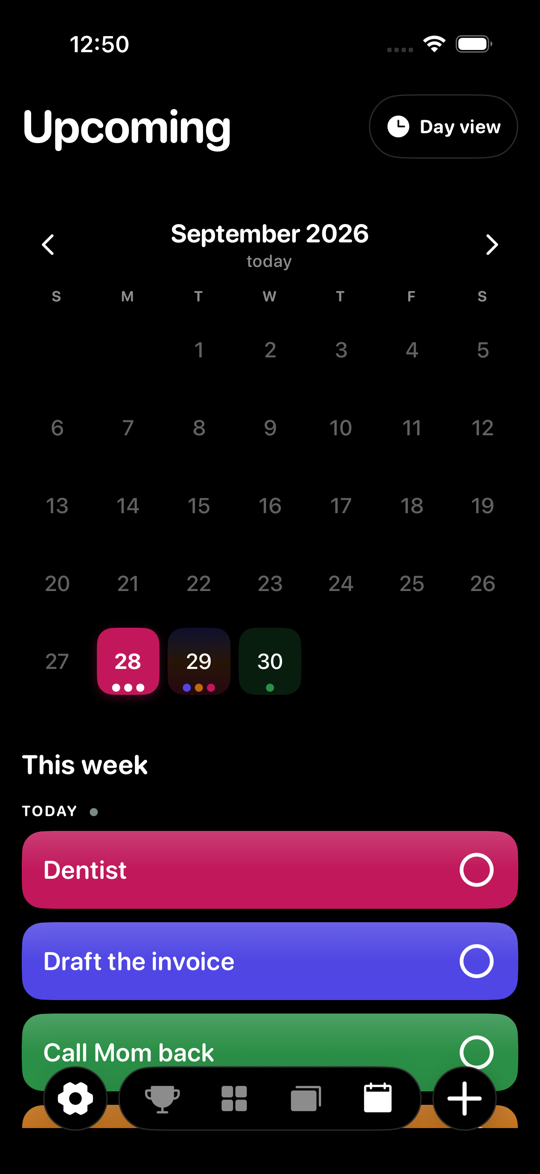
A month you can see at a glance, sitting on top of the agenda it scrolls. Every day carries a dot per list, so a heavy Thursday looks heavy before you open it.
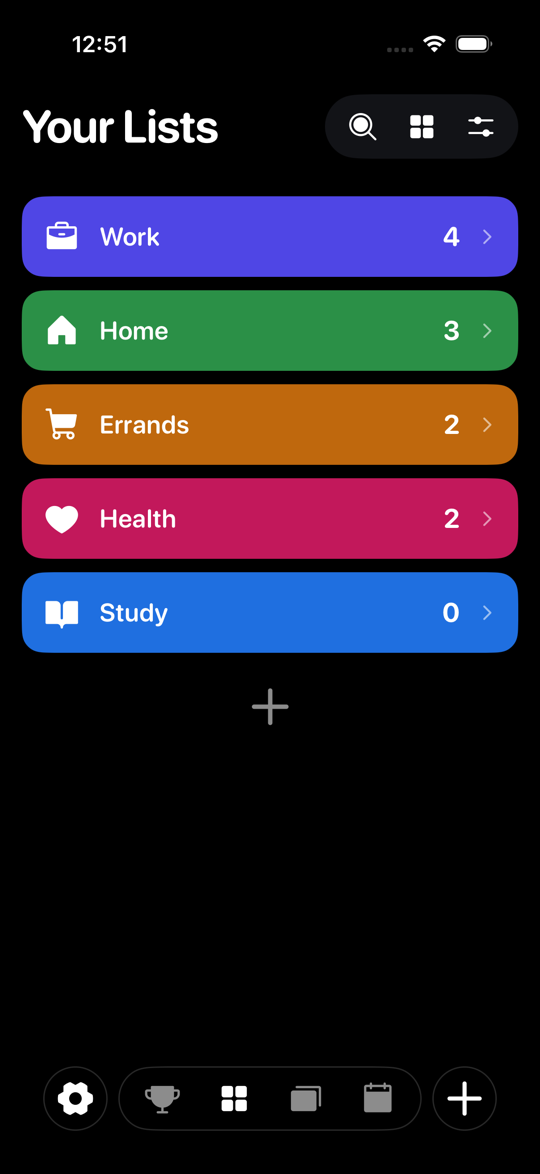
Everything filed, each list in its own colour and wearing its own icon — picked from forty-eight and fifty-odd by sweeping a finger across the grid, which previews as you go and chooses nothing until you lift off.
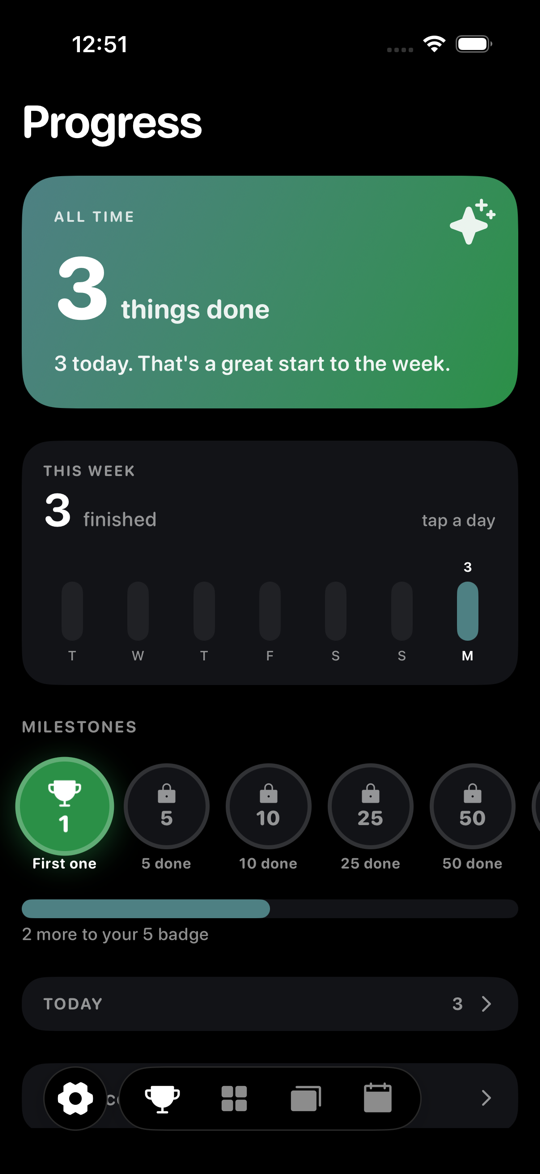
Streaks, milestones and what a week actually looked like. Earn one and you can put it on your profile — the only thing here you can't tell by looking.
On your home screen
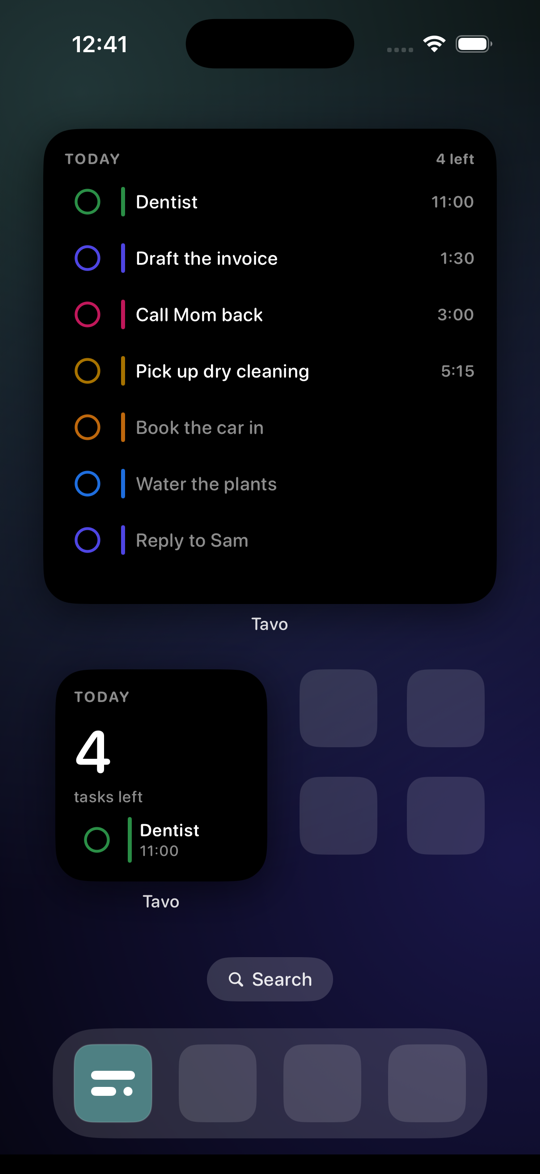
Three sizes on the home screen and three more on the lock screen. Tick something off without opening anything — the widget writes it straight back, which is the whole point of it.
Everything in it
There is no free tier to be better than and no second tier to sell you. Everything below is in it from the first day.
Pricing
Seven days, everything unlocked, no payment up front. Keep it or don't — and if you keep it, a year costs less than eight months bought one at a time.
Prices in US dollars and shown in your own currency at checkout. A subscription renews until you cancel it; you can do that from Settings on your iPhone at any time, including during the free week.
Questions
Whatever you chose at the start takes over, and you're told before it does. Cancel any time in the week and nothing is charged — your tasks stay where they are either way.
No, and not yet honestly on the way. Tavo is built on Apple's own frameworks and syncs through your iCloud, which is what lets it work without an account and without a server of ours in the middle.
Nobody here. Sync runs through your own iCloud between your own devices, so there's no Tavo server holding your lists. The app makes no network request of its own and links no analytics kit.
An account is how Tavo knows you across your devices and how your name gets into the greeting. It gates nothing on our end — your tasks travel through iCloud, not through us.
Yes. Your lists come over on the way in and stay in step afterwards, both directions. Anything you add in Reminders shows up in Tavo, and the other way round.
No. One purchase covers the iPhone, the iPad and the Mac, and they share a single set of lists.
Write down the thing that's actually on your mind. It takes about nine seconds, and then it's not your job to remember it.
7 days free · No payment required · Cancel any time